Native iPhone App
Local firstNo cloud account required for scanning or project storage.
LiDAR captureBuilt for compatible iPhones and iPads using RoomPlan.
Export readyShare PDF, JSON, DXF, and USDZ when your workflow needs it.
Capture rooms calmly. Keep results on your device.
RoomTrace uses Apple RoomPlan on compatible LiDAR devices so you can capture interiors, save them as local projects, and export them as PDF, JSON, DXF, or USDZ when needed.
+49 421 57290694
Core features
What the release is designed to provide
This page only describes functions that are part of the current release scope: guided scan entry, local storage, project overview, and export.
Guided entry
ScanRoomTrace checks camera access and hardware readiness before the capture flow starts.
- camera and LiDAR notes before scanning
- calm fullscreen capture flow
- clear status messages during processing
Local projects
ProjectScans, project details, and related files stay on the device unless you explicitly export or share them.
- quick access from the project list
- 2D preview and metrics in the result view
- local storage management inside the app
Exports when needed
ExportResults can move into follow-up workflows through the iOS Share Sheet without requiring a dedicated cloud backend.
- PDF for reports and handover
- JSON and DXF for technical follow-up work
- USDZ when a 3D model has been stored
Release screens
The app flow at a glance
These cards summarize the visual flow planned for the App Store: Home, Scan Entry, Result, and Export.
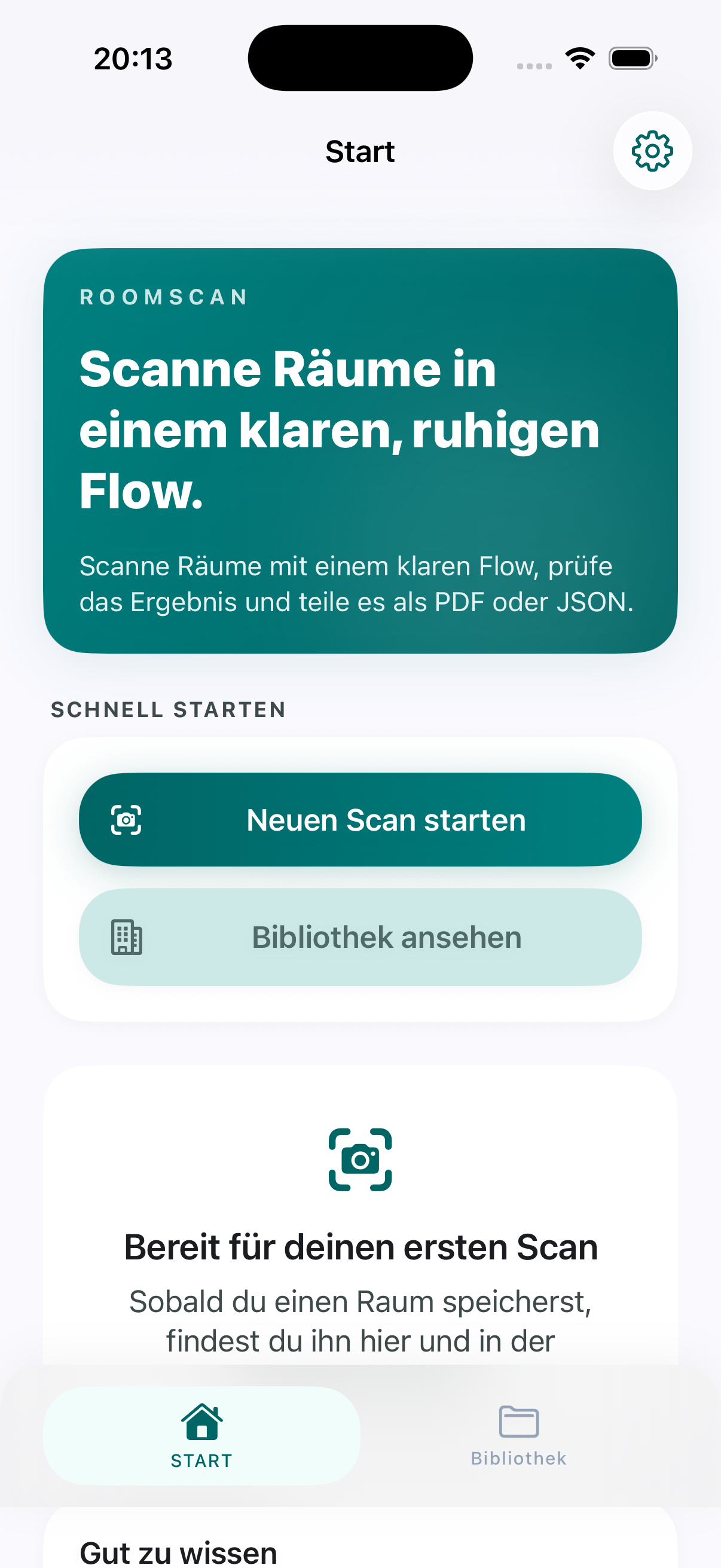
Home
The entry screen highlights the scan flow, the local-first setup, and the first saved-project state.
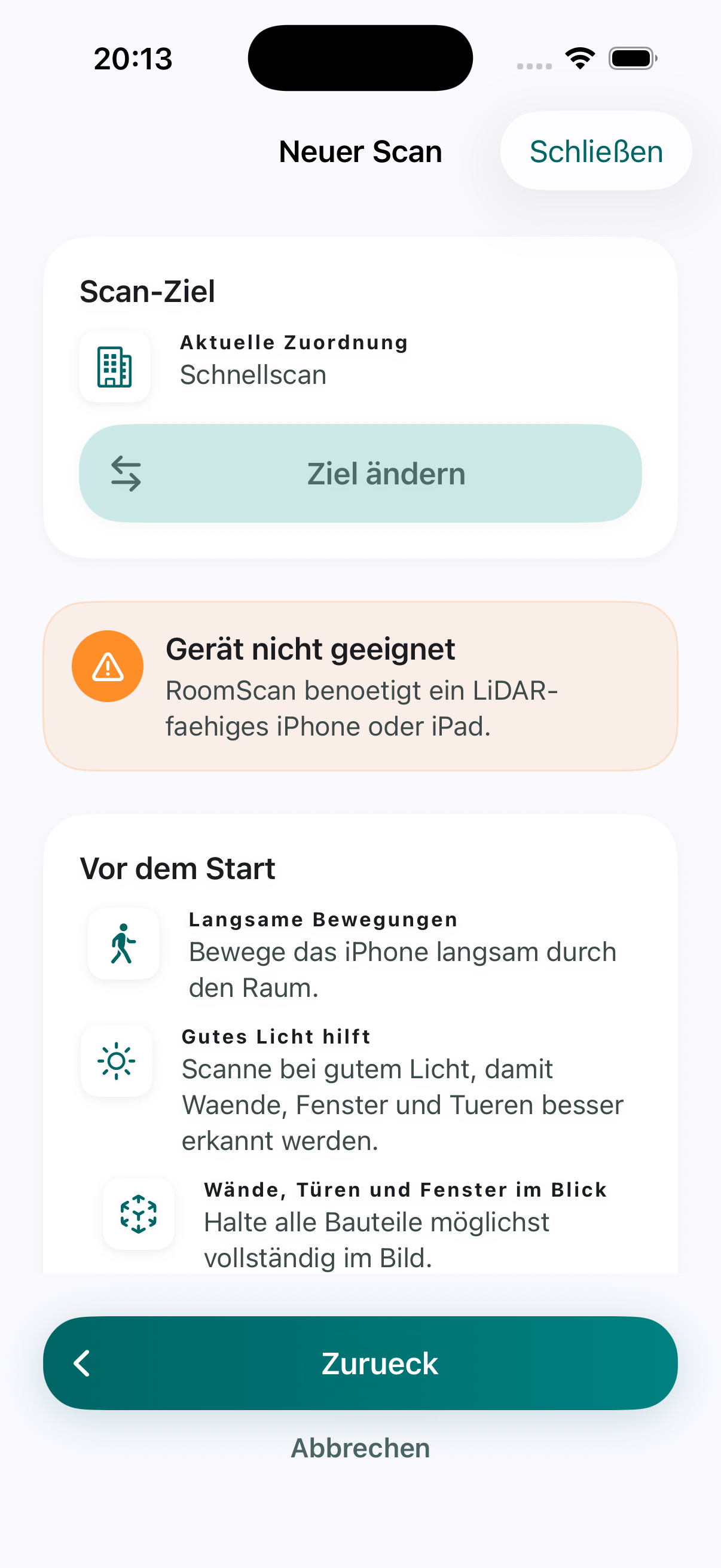
New Scan
Before scanning, the app clearly explains hardware readiness, camera access, and the core guidance.
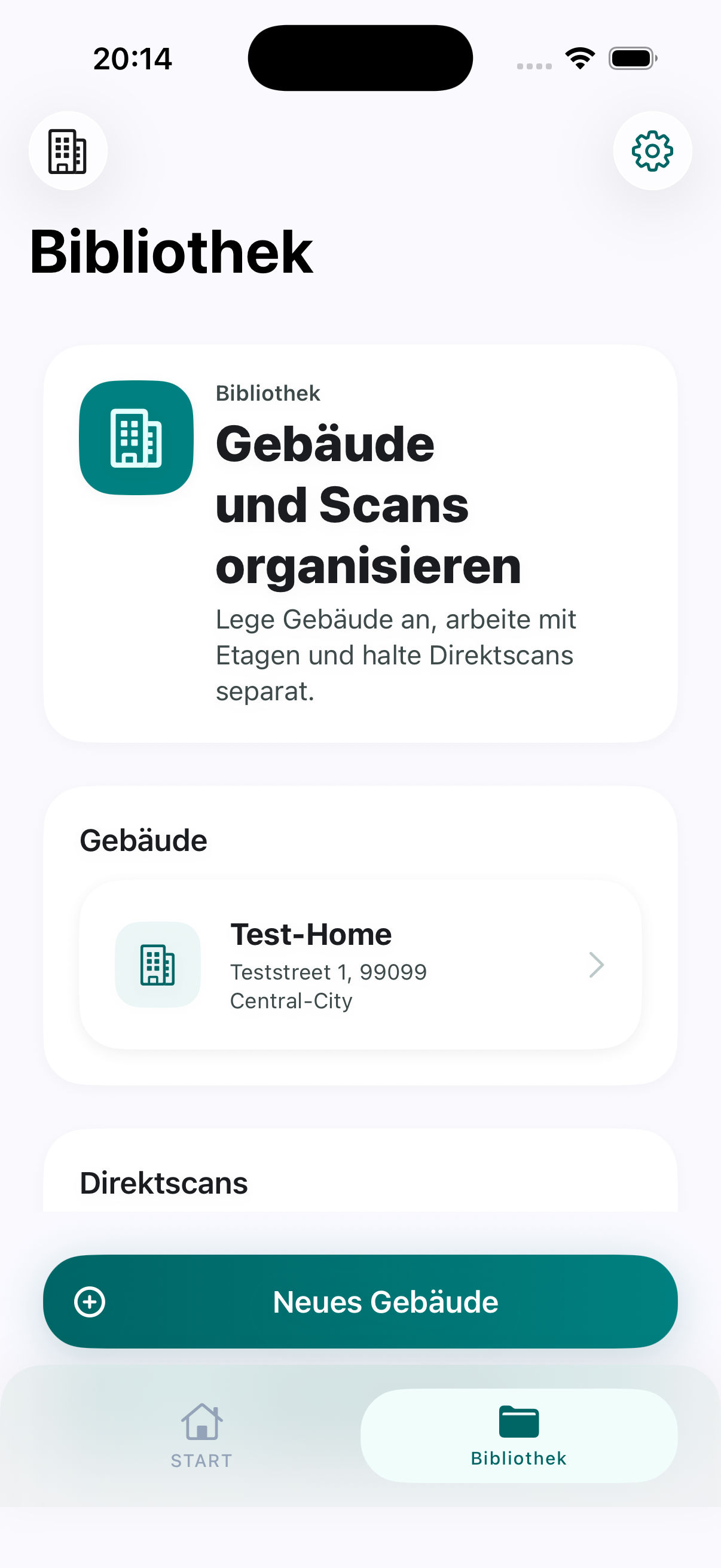
Library
Buildings, levels, and direct scans stay organized in a local project library.
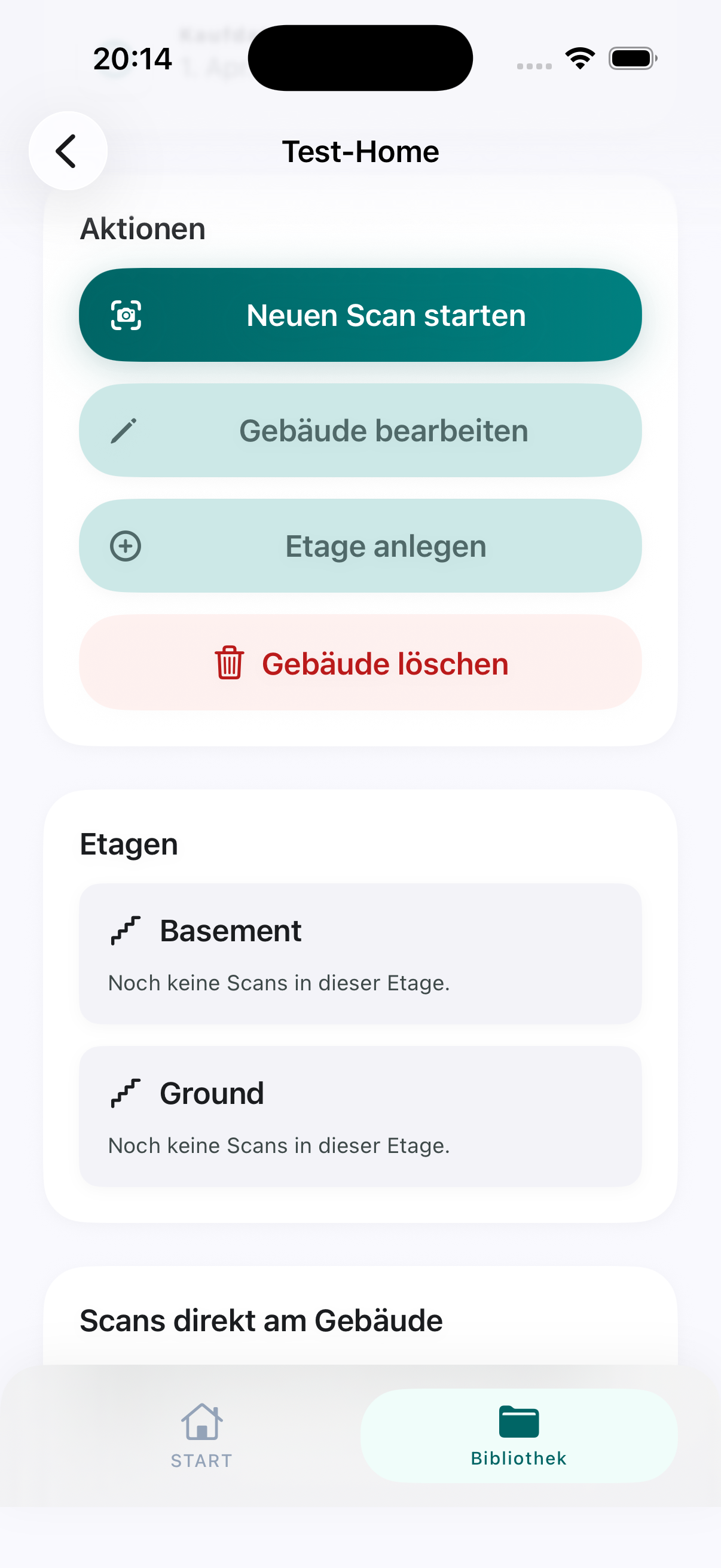
Building Detail
Saved projects can be managed in context, including follow-up actions and building structure.
Privacy at a glance
PrivacyRoomTrace is designed for local processing. Room data, projects, and exports stay on the device unless you explicitly share them.
- no user account required for the core flow
- no dedicated cloud requirement for scan and project storage
- no external analytics or tracking solution apparent in the current project state
- optional location use only to prefill a building address
Support and legal
ContactPublic pages are available for App Store review, support requests, and legal information. This keeps contact details reachable without requiring the app itself.